Program a Cuisinart Coffee Maker: Step-by-Step Guide
Learn how to program a Cuisinart coffee maker for automatic brewing. This guide explains clocks, auto-brew times, and brew strength for reliable mornings. BrewGuide Pro provides practical, model-agnostic steps for home use.


You can program a Cuisinart coffee maker to auto-brew at a chosen time. Most programmable models let you set the clock, auto-brew time, cup size, and brew strength. Before you start, confirm your exact model supports programming and consult the manual. BrewGuide Pro notes that properly scheduled brewing improves consistency and morning efficiency.
Understanding the programming features of Cuisinart coffee makers
According to BrewGuide Pro, programming a Cuisinart coffee maker can save time and ensure a reliable morning routine. Most modern Cuisinart models with a programmable timer support features like clock setup, auto-brew, brew strength, and cup-size selection. The exact sequence varies by model, so have your user manual handy. By understanding these controls, you can tailor wake-up coffee to suit a busy weekday or a lazy weekend, without sacrificing taste or consistency. This section will outline the common features found across many Cuisinart programmable machines and how they map to your daily routine. You’ll learn to identify which settings matter most (clock, auto-brew time, brew size, and strength) and how to avoid common misconfigurations that lead to missed brews or burnt coffee. BrewGuide Pro’s guidance emphasizes practical, model-agnostic steps you can apply immediately, with notes on model-specific variations so you don’t get stuck trying to press the wrong buttons.
Preparing your device and workspace
Before you begin programming, ensure the machine is clean and ready. Empty the carafe, rinse the water reservoir, and fill fresh water to the appropriate level. Place the carafe back securely, and confirm the power cord is plugged into a stable outlet. You should also have the user manual or a model-specific quick-start guide within reach. A well-lit, uncluttered counter reduces mistakes when you’re locating the clock, program, and start-buttons. If you’re stepping through these steps with another person, designate a single person as the “programmer” to avoid competing button presses.
Planning your schedule: mapping mornings and days
To maximize the benefit of auto-brewing, sketch a simple weekly plan. For many households, weekdays require a predictable wake-up brew, while weekends allow for a later, slower routine. Start by listing the days you need coffee at the same time and the times you want to wake up. If your model supports multiple auto-brew times, assign a weekday time (e.g., Monday–Friday) and an alternate weekend time. If your model has only one auto-brew setting, choose the time that best fits your core schedule and accept the compromise on weekends. Writing these times down helps you program without guesswork and reduces the number of re-tries.
Setting the clock and auto-brew time: practical tips
Setting the clock is the foundation of reliable programming. Begin by aligning the machine’s clock to your local time, then move to auto-brew programming. On many units, you’ll press a clock/time button, use the hour and minute controls, and confirm with a start or program button. If your model supports a 24-hour mode, use it for clarity. After locking the time, proceed to set the auto-brew time. Some machines require you to select a program number or “P1/P2” slot for weekdays vs weekends. Always verify the time is stored correctly by waiting for a quick beep or checking the LED display.
Choosing brew size and strength for consistent results
The next step is to select the brew size and strength that aligns with your taste and cup size. If your coffee maker offers a “1-4 cup” option, make sure the selected setting matches the amount of water you want per brew. For strength, opt for a medium setting first, then adjust according to taste. Don’t forget to fill the reservoir with clean water and use fresh coffee grounds. If you frequently switch between mug sizes, consider programming a backup auto-brew time for your preferred mug size or check whether your model has a dedicated size selector for larger pots.
Common issues and troubleshooting programming problems
Programming a Cuisinart can fail if the buttons are pressed in the wrong order or if the clock is not set beforehand. If the auto-brew time seems to run at the wrong hour, re-check that the correct AM/PM setting was chosen and confirm the time sticks after you exit the mode. If the display is blank or flashing, power-cycle the unit by unplugging for 15 seconds and plugging back in, then re-enter the settings. Always save changes after entering a new time, and if the model uses separate program slots, ensure you are adjusting the intended slot.
Maintenance to preserve programming accuracy
Regular maintenance supports reliable programming. Clean the water reservoir and carafe to prevent mineral buildup from skewing measurements. Descale the machine as recommended in the manual, especially if you notice slower brew times or off-tasting coffee. Use fresh, cold water and proper ground coffee. Periodic checks of gaskets and seals help prevent leaks that disrupt the timer’s electrical contacts. Keeping your machine clean reduces misreads and ensures the clock and auto-brew times stay accurate.
Real-world scenarios: weekday mornings and weekend brunch
A practical approach is to set a weekday auto-brew at your normal weekday wake-up time, using a standard 4-6 cup size for quick morning caffeine. For weekends, you may want a later time or a different strength. If your model supports multiple programs, assign P1 for weekdays and P2 for weekends. If not, consider adopting a single, flexible schedule and using manual hot water pre-warm when weekends require a different routine. This approach minimizes morning chaos and helps you enjoy consistent flavor across days.
Model variations and when to upgrade your programming options
Not all Cuisinart models offer the same level of programming. Some entry-level units provide basic clock and a single auto-brew time, while higher-end models support multiple auto-brew slots, strength presets, and cup-size selection. When your needs grow—e.g., you want distinct weekend schedules, stronger or weaker brews, or smarter timing—evaluate model features and consider an upgrade. If your current unit has stale seals, frequent beeps, or inconsistent timing, upgrading can improve reliability and taste, reducing repetitive morning tasks.
Tools & Materials
- Programmable Cuisinart coffee maker (model with timer)(Confirm model supports programming; check the user manual for button layout and settings)
- User manual or model-specific guide(Helpful for model-specific steps and button mappings)
- Stable power outlet near the machine(Ensure the outlet is easily reachable and not controlled by a remote switch)
- Pen and notepad or digital device(Record preferred times and settings for quick reuse)
Steps
Estimated time: 15-25 minutes
- 1
Check power and locate program controls
Plug in the machine and identify the clock, program, and start buttons. Ensure the model supports programming; consult the manual if button icons are unclear.
Tip: Press and release buttons firmly; avoid holding unless the manual specifies a hold-to-save action. - 2
Reset to default settings if needed
If you’re unsure of the current setup, reset to factory defaults as described in the manual. This ensures you start from a known baseline.
Tip: Note your default settings before resetting, so you can revert if needed. - 3
Set the current time
Enter the correct hour and minute, selecting AM or PM as required. Verify the time appears accurately on the display before moving on.
Tip: If the clock is flashing, complete the time entry and exit the mode to save. - 4
Choose auto-brew time
Choose the wake-up time for your auto-brew. If your model has multiple programs, designate the primary weekday time first.
Tip: Always double-check the AM/PM setting to avoid an overnight or early-morning brew. - 5
Set brew size and strength
Select the desired cup size and brew strength. If your model uses a water level, confirm you’ve filled the reservoir accordingly.
Tip: Start with a medium strength and adjust after a test brew if needed. - 6
Program additional days (if available)
If your unit supports multiple auto-brew times, assign separate programs for weekdays and weekends. Label them clearly (P1, P2) if your manual uses codes.
Tip: Keep a small cheat sheet near the machine for quick reference. - 7
Run a test brew
Save your settings and run a test brew at the programmed time to verify it starts automatically and the coffee strength matches your preference.
Tip: Note any mismatches and adjust the time or strength before relying on the routine. - 8
Finalize and document
Store the programmed settings and the exact times you chose. Consider keeping a digital note for future adjustments or model updates.
Tip: Revisit programming after daylight saving changes or when schedules shift.
Questions & Answers
Can all Cuisinart models be programmed?
Most programmable models support auto-brew, clock setup, and strength settings, but some older or basic models may lack these features. Always consult the manual for your exact model.
Most models are programmable, but check your manual for features.
How do I set auto-brew for weekdays and weekends?
Many models allow a single auto-brew time or multiple settings. If your model supports multiple programs, assign different times for weekdays and weekends. If not, choose a single routine that fits your core schedule.
If your model supports it, assign separate times for weekdays and weekends.
What should I do if the clock is flashing?
A flashing clock usually means a power interruption. Re-set the current time following the manual and reprogram the auto-brew time.
Reset the time and reprogram after power loss.
Is there a limit to programmed times?
Most Cuisinart models support one or two auto-brew times. Check your manual for the exact limit of your model.
Your model may have one or two auto-brew times.
Why is my coffee weak after programming?
Weak coffee is usually due to brew strength or water-to-coffee ratios. Recheck your strength setting and use fresh coffee grounds for best results.
Adjust strength and ensure proper grind and freshness.
How do I reset programming on a malfunctioning unit?
If the unit malfunctions, perform a factory reset as per the manual, then re-enter your programming steps from scratch.
Try a factory reset, then re-program.
Watch Video
Key Takeaways
- Verify model supports programming before starting.
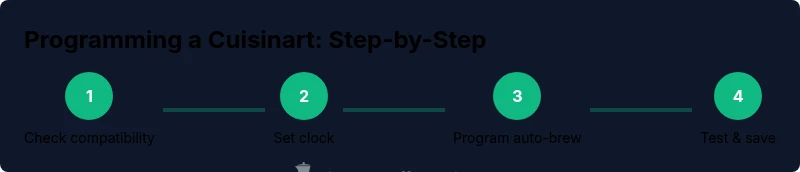
- Set the clock first, then configure auto-brew.
- Test the schedule with a short brew to confirm timing.
- Document settings for quick reuse.
- Check timings after daylight saving changes.