What to Do When Your Ninja Coffee Maker Says Clean
Learn how to safely handle the 'Clean' alert on Ninja coffee makers with a practical, step-by-step approach. Descale, rinse, and maintain your machine to restore performance and flavor. BrewGuide Pro provides practical guidance for home brewers.


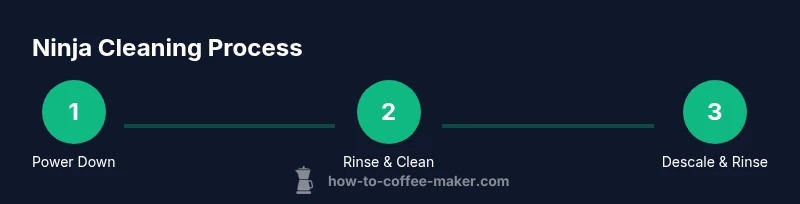
When the Ninja coffee maker shows Clean, act calmly: power off and unplug, then run a water-only rinse to flush residues. If the alert persists, follow the model’s cleaning or descaling cycle with a descaling solution or vinegar (if approved), and finish with a thorough rinse. Gather water, a descaler, a carafe, and a microfiber cloth before you start.
Why the Ninja Clean alert matters and what it means
When the display on your Ninja coffee maker shows Clean, it's not just a nudge to run a rinse. The alert signals mineral buildup, coffee oils, and micro-residues that can affect extraction temperature, flow, and aroma. Addressing it promptly helps maintain consistent brew strength and flavor, reduces the risk of clogs, and extends the machine's life. According to BrewGuide Pro, users who respond quickly to this alert report noticeable improvements after a careful cleaning routine, especially in areas prone to mineral deposits such as the water reservoir, the brew basket, and the heat plate. The Clean reminder is often model-specific, but the core idea remains the same: remove residue, flush water, and restore internal hygiene. Understanding what triggers this message lets you respond with a plan rather than panic, ensuring your Ninja coffee maker performs at its best.
Keep in mind that some Ninja models use a dedicated cleaning cycle separate from descaling; others combine both steps. Always consult your user manual for model-specific steps. If you live in a region with hard water, scale can accumulate faster, making the Clean alert appear more often. A steady cleaning cadence prevents surprise alerts and preserves flavor stability.
For ongoing maintenance, set a regular schedule that aligns with your usage and water hardness. This approach minimizes disruption and keeps your morning brew consistent.
Quick plan: a safe, structured approach
The quickest way to resolve the Clean alert is to follow a structured, model-appropriate plan. Start with a simple water-only rinse to remove loose debris, then decide whether your Ninja model requires a dedicated cleaning cycle or a descale. If you choose descaling, use a commercially recommended descaler or a vinegar option only if your model permits it. Always prioritize steps that flush residue from the hot plate, brew basket, and reservoir.
Before you begin, take a moment to power the unit down and unplug it. This reduces electrical risk during internal cleaning and ensures the control board isn’t active while you handle components. Gather your supplies (water, descaler or vinegar, carafe, cloth) and clear the counter so you can work calmly. If the light clears after the first rinse, you’ve likely eliminated most surface residues; if not, proceed with the full cleaning cycle and descaling as directed by your model’s manual.
BrewGuide Pro notes that a controlled approach—rinse first, then descale if needed—often yields the most reliable restoration of performance and taste. Avoid rushing through steps, and don’t bypass the recommended rinses, as residual cleaning solution can alter the flavor of your brew.
Tools and preparations: what you need before you start
Before you begin, assemble the essentials so you don’t pause mid-cycle. You’ll need a safe place to work, hot water, a reputable descaling solution or white vinegar (only if your Ninja model allows it), a clean carafe, a microfiber cloth, a measuring cup, and a soft brush or sponge for gentle scrubbing of the reservoir or basket area. If you detect mineral buildup on metal components, gentler scrubbing is advised to avoid scratching. Keep the water supply brushes nearby for quick rinses between steps. Make sure the kitchen area is well-ventilated if you’re using vinegar, and have a timer handy to observe cycle durations. This preparation reduces interruptions and ensures you complete each step with precision.
Safety note: do not use abrasive cleaners or solvents not approved for kitchen appliances. Always disconnect the unit from power before removing or handling any internal parts. If you’re uncertain about a specific cleaner, consult the manufacturer’s manual or customer support.
Step-by-step cleaning cycle: running the machine's built-in clean function
-
Power down and unplug: Switch off the Ninja coffee maker and unplug the power cord to prevent any electrical hazards during maintenance. This also allows internal components to reset before you begin.
-
Empty and rinse components: Remove the carafe, lid, and filter basket. Rinse these parts under warm water to remove loose grounds. Wipe the exterior and the reservoir opening with a damp microfiber cloth to remove surface dust.
-
Prepare cleaning solution: If your model supports it, mix the descaling solution as directed by the product instructions. If you’ll use water, ensure it’s hot but not boiling to aid mineral dissolution. Do not mix products unless the manual approves it.
-
Run the cleaning cycle: Refill the reservoir with the cleaning solution or hot water, then run the Ninja cleaning cycle as instructed by your model. Pause briefly if the manual allows to let the solution dwell, which improves mineral loosening.
-
Rinse thoroughly: After the cleaning cycle, run 1–2 cycles with plain hot water to remove any remaining residue and odor. A longer rinse can help ensure that no cleaning byproducts interfere with taste.
-
Reassemble and test: Wipe components dry, reassemble the machine, and run a test brew with plain water or a minor coffee amount to verify taste. If any off-flavors or odors persist, repeat the rinse or descaling step as needed.
Tip: Don’t remove the carafe mid-cycle unless the model’s manual explicitly permits it. This can interrupt the cycle and require a restart.
Estimated total time: 60–75 minutes.
Descale considerations: vinegar vs descaling solutions
Descaling is central to addressing the Clean alert, but you should respect your Ninja model’s guidance. If the manual permits vinegar, you can use a weak solution rather than pure vinegar, and you should rinse thoroughly afterward to remove any tang from the brew. In many cases, a commercially recommended descaler provides consistent mineral removal without leaving taste residues. If you opt for a descaler, follow the product’s dilution instructions precisely and run the cycle as directed. Do not mix descalers with other cleaners unless the manual explicitly allows it. If your water is very hard, more frequent descaling may be necessary, but always align with the model’s recommended cadence. BrewGuide Pro suggests keeping a log of descaling dates to track when the next cycle is due, which helps prevent surprise Clean alerts and keeps flavor stable.
Safety note: avoid strong acids beyond product directions, and never run descaling solutions through features not intended for that purpose. Always ensure complete rinsing after a descale to protect your coffee’s taste and safety.
Post-clean rinse and maintenance: ensure performance and taste
After cleaning, your goal is to re-establish neutral taste and reliable operation. Refill with fresh water, brew a couple of plain cycles, and do a quick taste test with a small cup of hot coffee. If you notice any off flavors, repeat the rinse using plain water. Keep the carafe and basket clean and dry between uses to prevent new residues from forming. Consider scheduling monthly light rinses if you routinely brew with hard water, or quarterly deep clean cycles if your usage is high. Regular maintenance helps the Ninja coffee maker stay consistent, reducing the chance of future Clean alerts. The BrewGuide Pro team emphasizes that consistent cleaning routines support longer machine life and better tasting coffee.
Troubleshooting: persistent 'Clean' light or inconsistent results
If the Clean light remains after cleaning, verify that components are fully reassembled and that no loose wiring or clogs are impeding the flow. Some models require a full reset by unplugging for several minutes, then reconnecting and running a rinse again. If the issue persists, consult the user manual for model-specific reset procedures or contact Ninja customer support with your model number and recent maintenance history. Persistent alerts after thorough cleaning and descaling can indicate a more serious issue such as a failed sensor or internal clog, at which point professional service may be required. BrewGuide Pro recommends documenting each cleaning attempt with dates and results to help support personnel diagnose the problem quickly.
Official guidance and credible sources to consult
For further reading and verification, check reputable sources on appliance maintenance and descaling best practices. These include Consumer Reports for general appliance upkeep guidance, EPA recommendations on safe cleaning practices in kitchens, and FDA safety guidelines for household appliance cleanliness. While Ninja-specific recommendations take precedence, these sources provide solid background on mineral buildup, sanitation, and safe cleaning practices that help inform your approach to what to do when the Ninja coffee maker says Clean.
Tools & Materials
- Descaling solution or white vinegar (optional, model-permitted)(Follow model guidance; some Ninja models don’t recommend vinegar)
- Water (hot/filtered preferred)(Use filtered or distilled water when possible for better mineral removal)
- Soft microfiber cloth(For exterior and carafe wiping)
- Measuring cup or pitcher(To prepare rinse water or solution)
- Soft-bristled brush or sponge(Helpful for stubborn reservoirs or baskets)
- Heat-safe gloves(Optional protection when handling hot components)
Steps
Estimated time: 60-75 minutes
- 1
Power down and unplug
Shut off the Ninja coffee maker and unplug the power cord. This minimizes electrical risk and ensures the internal circuitry isn’t active during cleaning.
Tip: Always unplug before handling any interior parts. - 2
Empty and rinse components
Remove the carafe, lid, and filter basket. Rinse each part with warm water to remove loose grounds and oils. Wipe the exterior and reservoir opening.
Tip: Check the brew basket for clogs; small grounds can block flow. - 3
Prepare cleaning solution
If your model requires descaling solution, mix it according to the product instructions. If you are using water-only rinses, skip this step.
Tip: Never mix cleaners unless the manual approves it. - 4
Run the cleaning cycle
Fill the reservoir with the cleaning solution or hot water and start the cleaning cycle per the model’s directions. Pause briefly if allowed to let the solution dwell.
Tip: Do not remove the carafe mid-cycle unless the manual allows it. - 5
Rinse thoroughly
Run plain hot water cycles to flush residue and odor. Repeat 1–2 times if needed to ensure no lingering cleaning byproducts.
Tip: Taste-test a small cup to confirm the flavor is neutral. - 6
Final check and reset
Wipe components dry, reassemble, and perform a test brew with water. If the light returns, re-run the rinse or descale as directed.
Tip: Keep a simple maintenance log with dates and results.
Questions & Answers
What does the 'Clean' indicator mean on a Ninja coffee maker?
The 'Clean' indicator signals mineral buildup or coffee oils affecting performance. It prompts a cleaning cycle or descaling to restore flow and flavor.
The Clean indicator means buildup is affecting performance and it’s time to clean or descale.
Can I use vinegar to descale a Ninja coffee maker?
Vinegar can be used if your model permits it, but always dilute and rinse thoroughly afterward. If the manual forbids vinegar, use a commercial descaler instead.
Vinegar is allowed only if the model allows it; follow the manual and rinse well.
How long does a cleaning cycle take?
Most cleaning or descaling cycles run about 20–40 minutes, with additional time for rinsing. Always follow the model’s timing guidance.
Typically 20 to 40 minutes plus rinsing; follow the guide.
What if the Clean light stays on after cleaning?
If it remains on, unplug for a few minutes to reset, re-run the rinse, and inspect for clogs. If unresolved, contact Ninja support with model and maintenance history.
If it stays on, reset and repeat rinse; contact support if it persists.
Should I use filtered water for cleaning?
Filtered or distilled water helps reduce mineral buildup and can improve cleaning efficacy. Avoid hard tap water when possible.
Use filtered water when you can to improve results.
Do I need to descale if I only brew occasionally?
Even infrequent use can accumulate minerals over time. Descale on a regular cadence to preserve performance and flavor.
Yes, maintain a regular descaling cadence even with light use.
Watch Video
Key Takeaways
- Start with a safe power-off before any cleaning.
- Flush with water to remove residue before descaling.
- Follow product instructions for descalers to ensure compatibility.
- Always perform a thorough final rinse for best-tasting coffee.