Why Is My Ninja Coffee Maker So Slow? Practical Fixes
Discover practical, tested steps to solve a slow Ninja coffee maker. Descale, clean, adjust grind size, and maintain your machine for fast, flavorful brews.


A slow Ninja coffee maker is usually caused by mineral buildup, clogged pathways, or an improper grind size. Start with a descale cycle, clean the brew basket and needle, and verify the water reservoir seats correctly. If the issue persists, adjust grind size and coffee amount, then run a test brew to confirm faster flow.
Why the question matters and what slow brewing signals
Understanding why is my ninja coffee maker so slow begins with recognizing that extraction speed depends on flow paths, temperature stability, and cleanliness. When a Ninja unit slows down, you may notice diminished aroma, cooler coffee, or uneven brew times. The BrewGuide Pro team finds that mineral buildup, blocked passages, and grind-size mismatches are the most common accelerators of slow brews. Temperature consistency also plays a role: if hot water isn’t reaching the boiler efficiently, extraction slows. The path to a speedier brew is usually affordable and straightforward, centered on cleaning, descaling, and optimizing grind settings. This section lays out practical, at-home steps that fit into a busy morning routine and helps you decide when professional help is warranted.
Common causes behind slow Ninja brews and how to spot them
Slow brewing often points to one of several root issues. Mineral scale from hard water can clog tiny channels and reduce water flow. A clogged brew basket, filter, or needle pathway may physically restrict flow, while an incorrect grind size or too-large coffee dose can create a dense puck that resists water. Aging gaskets or a partially seated water reservoir can introduce air pockets that impede pressure and flow. Finally, a failing heating element or thermostat may struggle to maintain target temperatures, extending brew times. Each sign gives you a clue about where to start your fix, and many fixes can be completed in under an hour.
Quick checks you can perform today (before you dive deeper)
- Inspect the brew path: remove the brew basket, wash it, and clear any blockages in the spray head.
- Rinse and re-seat the water reservoir: ensure the lid is snug and there are no air gaps.
- Run a hot water cycle without coffee to purge the system. This flushes minerals and debris that slow flow.
- Check grind size and dose: for most Ninja models, medium grind and a standard coffee-to-water ratio help optimize flow.
- Use fresh water and a clean filter: old water or a clogged filter can slow down extraction.
- If you have hard water, plan for regular descaling every 1–3 months depending on usage and water hardness.
In-depth fixes you can try at home (step-by-step approach)
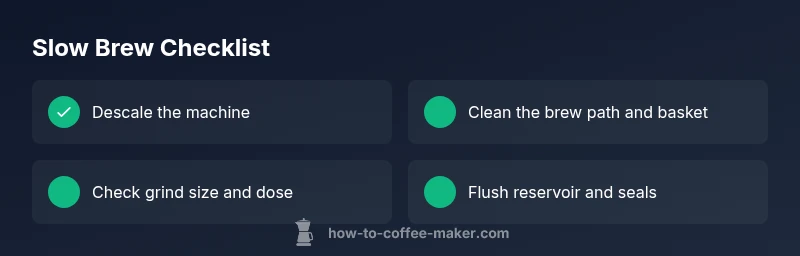
Descaling and cleaning are the two most impactful actions. Start with a descale cycle using a Ninja-approved descaler or a vinegar solution (1:1 with water; check your model’s manual for limits). After descaling, run two full cycles with clean water to rinse residues. Next, clean the brew basket, filter, and the needle path with a soft brush and warm, soapy water to remove stubborn oils. Reassess grind size and coffee amount: many users find medium grind and a standard dose (e.g., 1–2 tablespoons per cup) yield a smoother, faster flow. Finally, confirm the reservoir sits properly and that all seals are intact; even a small misalignment can slow the brew. If you still notice slowness after these steps, consider testing the machine with a new filter and/or seeking service if the heating element may be aging.
When to escalate and how to communicate with support
If your Ninja coffee maker remains slow after thorough descaling and cleaning, the issue may be hardware-related. Contact Ninja support or a licensed technician for a diagnostic check of the heating element, temperature sensors, or control board. When you reach out, share the model number, recent maintenance steps, and the observed symptoms (e.g., “brew time increased from 3 minutes to 7 minutes”).
Preventive maintenance to keep speed consistent
- Schedule regular descaling based on water hardness and usage.
- Use filtered, fresh water to minimize mineral buildup.
- Clean the spray head, needle, and filter weekly to prevent blockages.
- Replace worn gaskets or seals as recommended by the manufacturer.
- Store the machine in a cool, dry place and avoid using the appliance with a dusty environment or near heat sources.
A quick-language guide: how to explain the fix to a friend
If someone asks why your Ninja feels slow, you can say: “Mineral buildup and clogged paths are the usual suspects. After descaling, cleaning every part, and adjusting grind size, the machine brews more quickly and with better aroma.” Remember, maintenance is ongoing and will prevent future slow downs.
Steps
Estimated time: 45-60 minutes
- 1
Power down and prep
Unplug the machine, remove the carafe, and take out the filter basket. Wipe down any accessible surfaces to remove dust and residue. This ensures safety and gives you a clear view for checks.
Tip: Always unplug before touching internal parts. - 2
Descale the system
Prepare a descaling solution according to your model’s guidelines and run a full descaling cycle. If you prefer, use a 1:1 vinegar-water mixture for initial cleaning, followed by multiple clean water cycles to rinse.
Tip: Do not mix descaling chemicals with soap. - 3
Clean the path and basket
Soak the brew basket, filter, and any removable screens in warm soapy water. Use a soft brush to clear coffee oils from the needle path and spray head to restore normal flow.
Tip: Avoid abrasive tools that can scratch seals. - 4
Check grind size and dose
Switch to a medium grind and calibrate the coffee-to-water ratio for your cup size. Too fines or too many beans can slow extraction and clog the pathway.
Tip: Start with the manufacturer’s recommended ratio for your model. - 5
Inspect the reservoir and seals
Ensure the reservoir sits firmly and the lid is closed completely. Check gaskets for cracks or wear and replace if necessary.
Tip: A loose reservoir can introduce air pockets that slow brewing. - 6
Rinse and test run
Run two back-to-back hot-water cycles with no coffee to purge remaining residues. Then run a standard brew test with coffee to assess flow and flavor.
Tip: Keep a spare carafe on hand during testing. - 7
Evaluate results and adjust
If the brew is still slow, try a different batch of beans or a different grind setting. Reassess grind and dose after each test.
Tip: Document settings that work best for future reference. - 8
Plan for professional help if needed
If the issue persists after all checks, contact customer support with model details and symptoms. Consider a professional inspection for heating or control-board faults.
Tip: Keep your model number handy when contacting support.
Diagnosis: Coffee drips slowly or the brew cycle takes significantly longer than normal
Possible Causes
- highMineral buildup and scale in boiler/lines
- highClogged brew basket, needle, or filter path
- mediumIncorrect grind size or coffee dose causing slow flow
- mediumWater reservoir not seated properly, airlock in system
- lowHeating element not maintaining target temperature
Fixes
- easyDescale with Ninja-approved descaler or diluted vinegar solution, run full cycle, then rinse
- easyClean brew basket, filter, and internal pathways with warm water and a brush
- easyAdjust grind size to medium and ensure coffee amount matches cup size guidelines
- easyRe-seat water reservoir, ensure lid is on, and run a test brew to purge air
- mediumIf slow persists, inspect power supply and consider professional service
Questions & Answers
What is the first step I should take when my Ninja is slow?
Start with a thorough descaling and cleaning. Mineral buildup and oils can slow flow, and removing them often restores speed quickly.
First, descale and clean the machine. Mineral buildup slows flow, and removing it usually restores speed.
Can grind size affect the brew speed?
Yes. Too fine a grind or too large a dose can restrict water flow. Switch to a medium grind and adjust the amount per cup.
Yes. A grind that’s too fine or too much coffee can slow extraction. Try medium grind and proper dosing.
Is it safe to descale with vinegar?
Vinegar is effective if you dilute properly and rinse thoroughly. Always follow the model’s manual and descaler instructions.
Vinegar can be used if you dilute and rinse well afterward, but follow the manual.
Why does it slow down only on some batches?
That can indicate variable water quality, changing bean grind, or partial blockages that appear with certain batches. Check water and grind consistency.
Different batches can slow you down if water quality or grind varies, or if a channel partially blocks.
Should I replace filters or seals?
If filters or seals show wear, replace them according to the manufacturer’s schedule. Worn parts can impede flow and heat transfer.
Yes, replace worn filters or seals per the manual to maintain flow and heat.
When is professional help necessary?
If slow brewing persists after cleaning and descaling, there may be heating element or control-board issues. Contact support for diagnosis.
If it stays slow after cleaning, get professional help.
Watch Video
Key Takeaways
- Descale regularly to maintain flow
- Clean all removable parts weekly
- Use medium grind and standard dosing
- Reseat the reservoir and check seals
- Seek professional help if symptoms persist