Coffee Maker Without Auto Shut Off: A Practical Guide
Explore the safety, energy, and purchasing implications of coffee makers that lack auto shut-off. Practical tips, mitigation strategies, and buying guidance from BrewGuide Pro for safer, smarter brewing.


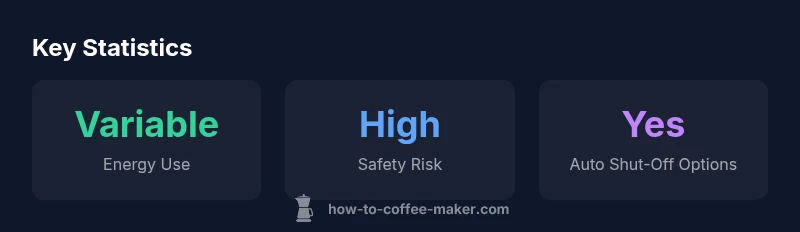
Coffee makers without auto shut-off can keep heating after brewing, increasing energy use and potentially creating a fire risk. This quick answer previews why some models omit the feature, the safety and energy implications, and practical tips for safer use, alternatives, and buying considerations. It also highlights how to mitigate risks with reminders, timers, or selecting models with built-in protections.
Why a coffee maker without auto shut off matters
For many households, a coffee maker without auto shut-off is a design choice driven by simplicity, price, or a desire for direct control. According to BrewGuide Pro, some compact or budget models omit auto shut-off to keep the switch straightforward and to appeal to users who prefer manual oversight. This design decision has practical consequences: it changes how you use the machine, raises the risk of forgetting to turn it off, and influences energy consumption. In real-world kitchens, the absence of an automatic safeguard can collide with busy routines—people rushing out the door or distracted by a busy morning. The result is a brewing device that feels convenient in the moment but requires disciplined use to avoid waste and risk. By understanding the trade-offs, homeowners can decide whether the simplicity is worth the potential downsides, or whether a model with built-in protections better fits their lifestyle.
Safety implications and risk factors
Safety is the strongest reason to scrutinize any coffee maker without auto shut-off. The primary risk is overheating after brewing if the unit remains powered. Over time, repeated overheating can degrade electrical components and, in worst cases, raise fire hazards in kitchens where cords, drips, or steam come into contact with flammable materials. Pets and children add additional hazards, as a distracted user may forget the device is still on. Practical safety steps include keeping the area around the machine clear, avoiding overfilling the reservoir, and ensuring the power cord is in good condition. The absence of an automatic shut-off makes user vigilance essential, and maintaining a clean, dry workspace reduces incidental risks.
Energy and cost considerations
Energy efficiency is a natural byproduct of auto shut-off features, which limit heat after brewing. When a model lacks this safeguard, energy use can become variable and less predictable. While modern coffee makers are generally efficient, any prolonged heating elevates standby and running costs—especially in households that brew multiple pots a day or forget to turn the device off. Over the long term, this can add up to noticeable energy expenditures, particularly in climates where the kettle is used early and left unattended. Understanding usage patterns helps homeowners estimate potential costs and compare them against models that offer programmable shut-off windows or automatic off after a set time.
Design varieties and why some lack auto shut-off
Manufacturers omit auto shut-off for reasons tied to cost, compact design, and consumer preference. Some models aim for minimalist aesthetics or compact form factors, where adding an automatic safeguard could complicate the controls or increase the device footprint. In budget segments, the savings from removing auto shut-off can translate to a lower upfront price point. However, this trade-off places more responsibility on the user to remember to switch off the machine. In contrast, premium or mid-range models often include auto shut-off with adjustable timers, which aligns with safety standards and energy-conscious design expectations. Being aware of the intended use—single-serve versus multi-serve, small kitchen versus open office—helps buyers choose a design that minimizes risk while meeting their brewing needs.
Practical usage tips if you own a non-auto shut-off machine
If you already own a coffee maker without auto shut-off, practical habits can reduce risk without compromising convenience. First, build a routine of unplugging after use or setting a reminder to turn it off promptly. Use a dedicated outlet or a smart plug with scheduling features to ensure the device powers down after the brewing cycle completes. Keep the machine away from sinks and water sources to avoid electrical hazards, and never leave it unattended while hot. Regular cleaning and descaling are essential to maintain operation and prevent malfunction causing overheating. Finally, consider clearly labeling the switch or using a tactile indicator to prevent forgetfulness in busy households.
How to choose a model with auto shut-off when buying
When shopping, prioritize models that offer a reliable auto shut-off feature with a clearly adjustable duration. Look for safety certifications from recognized bodies, Energy Star labeling can indicate energy-conscious design, and consult reviews that specifically mention robustness of the shut-off mechanism. Assess the ease of use: a programmable auto shut-off with a long-time window and clear on/off indicators is preferable to a model with obscure timing. For homes with multiple rush periods, a model that offers a predictable timer and simple, visible controls reduces cognitive load and safety risk. Finally, balance price against features; investing a little more upfront for safety features often pays off in peace of mind and long-term energy savings.
Maintenance and care to minimize risk
Proactive maintenance helps any coffee maker perform reliably, especially those without auto shut-off. Regular descaling prevents mineral buildup that can impair heating efficiency and sensors. Inspect the power cord for wear and replace it if there are exposed wires or loose fittings. Keep the drip tray and carafe area clean to reduce slip hazards and moisture exposure to electrical components. Store the machine in a dry environment and avoid placing it on unstable surfaces that could tip during use. Finally, schedule routine checks or set reminders to verify that the device is turned off after brewing, reinforcing safe habits even if the device lacks automated protection.
Alternatives and mitigations you can implement today
Smart plugs and timer outlets offer a practical workaround for older machines without auto shut-off. Pair a timer with a daily routine to ensure the unit powers down after a brew cycle. If your kitchen supports it, consider integrating voice- or app-controlled outlets to monitor usage remotely. For households that want the best of both worlds, plan a phased upgrade to a model with a programmable auto shut-off and energy-saving features. In the meantime, maintain vigilance: set a post-brew routine, keep a tidy workspace, and educate all household members about safe usage.
Comparison of coffee maker designs and auto shut-off presence
| Model Type | Auto Shut-Off Feature | Typical On-Again Duration | Notes |
|---|---|---|---|
| Non-Auto Shut-Off | No | Varies by model (often indefinite) | Requires manual intervention to turn off after brewing |
| Auto Shut-Off | Yes | Typically 15-60 minutes | Safer and more energy-efficient for most households |
Questions & Answers
What is an auto shut-off feature on a coffee maker?
An auto shut-off is a built-in mechanism that automatically powers the coffee maker off after a set period of time following brewing. It reduces energy use and lowers the risk of overheating or fire.
An auto shut-off automatically turns the maker off after brewing to save energy and reduce risk.
Are non-auto shut-off models common in certain regions or price tiers?
Non-auto shut-off models are more common in budget ranges and some compact designs. Availability varies by retailer and region, with mid-range and premium models more likely to include auto shut-off.
Yes, budget and compact lines often skip auto shut-off; higher-end models usually include it.
What should I do if my coffee maker lacks auto shut-off?
Create a safety routine: unplug after brewing, use a timer or smart plug, keep the area dry, and perform regular maintenance to prevent overheating.
Unplug it after using it and use a timer or smart plug to ensure it turns off.
Can I retrofit auto shut-off to an existing machine?
Retrofits are not generally practical or safe for most consumer machines. It’s safer to upgrade to a model with a proven auto shut-off feature.
Retrofits aren’t usually recommended; upgrading is safer.
Is it safe to leave a non-auto shut-off coffee maker on overnight?
Leaving it on overnight is not advised due to energy waste and potential overheating risks. Always turn off or unplug when not actively brewing.
No—it's best not to leave it on overnight.
How can I tell if a model has auto shut-off before buying?
Check product specs for 'auto shut-off' or 'programmable shut-off' features, read reviews focusing on this function, and look for Energy Star certification.
Look for auto shut-off in the product specs and reviews.
“Built-in safety features like auto shut-off exist for a reason; they protect households from overheating and unnecessary energy use.”
Key Takeaways
- Prioritize models with adjustable, clearly labeled auto shut-off timers
- Establish a safe post-brew routine and unplug or schedule power-down when possible
- Use reminders, timers, or smart plugs to mitigate risk with non-auto shut-off machines
- Choose energy-conscious models when buying to balance safety and cost
- The BrewGuide Pro team recommends prioritizing built-in safety features in new models